Install
lhtml-site is a Python program. It installs LHTML along with it.
1. Python and pipx
You need Python 3.11 or newer (python.org) and pipx, which installs commands written in Python, each in an environment of its own:
| System | Install pipx |
|---|---|
| macOS, with Homebrew | brew install pipx |
| macOS, without Homebrew | python3 -m pip install --user pipx |
| Debian, Ubuntu | sudo apt install pipx |
| Windows | py -m pip install --user pipx |
Then run pipx ensurepath (macOS without Homebrew: python3 -m pipx ensurepath; Windows:
py -m pipx ensurepath), and open a new terminal.
2. lhtml-site
pipx install lhtml-site
lhtml-site --version
The second line prints something like lhtml-site 1.1.0 (LHTML 3.0.3).
3. Check the installation
lhtml-site doctor
lists what is ready. The line HTML pages and slides should say ready: you can go on. The
other lines are optional features (the PDF export, formulas rendered at build time, videos); each
says what it still needs, and they can wait.
Later, pipx upgrade lhtml-site updates it. The package and its versions:
lhtml-site on PyPI.
pipx: command not found: install pipx first (step 1).lhtml-site: command not foundafter the install: runpipx ensurepath, then open a new terminal.requires a different Pythonduring the install: pipx uses a Python older than 3.11. Install a newer one, then name it:pipx install --python python3.12 lhtml-site.- Anything else: run
lhtml-site doctorand read what it says is missing.
Only LHTML?
To convert single pages, or to use LHTML from your own Python code, install the markup alone:
pipx install lhtml-markup # the command lhtml
and, in a Python project, python -m pip install lhtml-markup in its virtual environment, then
import lhtml. The package is named lhtml-markup on PyPI, the command and the module lhtml:
lhtml-markup on PyPI.
Then, a first page, your own tags, Python and Jinja2: Use LHTML alone.
Optional: color LHTML in VS Code
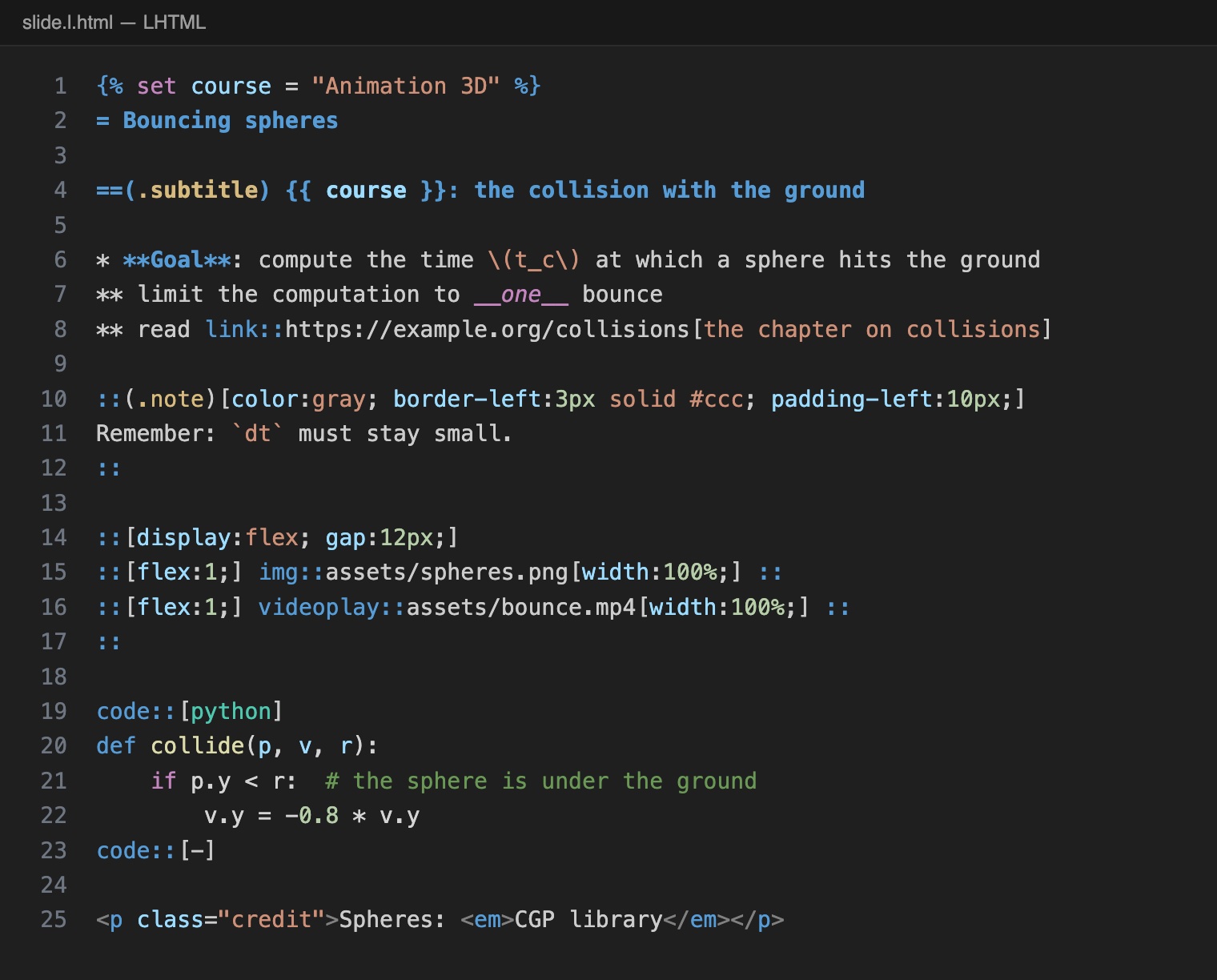
Any text editor works. If you use Visual Studio Code, the
LHTML extension colors the marks of LHTML (headings, items, bold, the :: blocks) and the HTML
around them, folds the blocks and offers snippets. You can skip it and come back later.
How to install it (needs git and Node.js)
The extension is not on the VS Code Marketplace yet: it is built from the repository of LHTML.
git clone https://github.com/drohmer/lhtml.git
cd lhtml/editors/vscode
npx @vscode/vsce package
code --install-extension lhtml-*.vsix
It applies to *.l.html files and to the index.html.j2 pages of an lhtml-site project. Its
README lists what it colors and how to
apply it to other files.
Next: your first slides.